Introduction
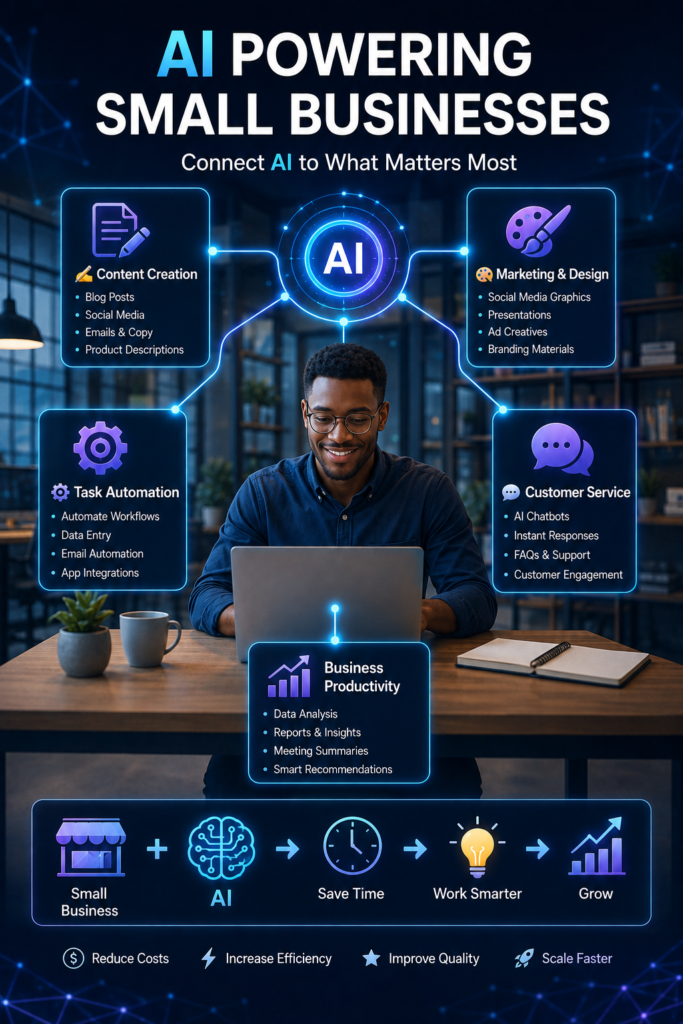
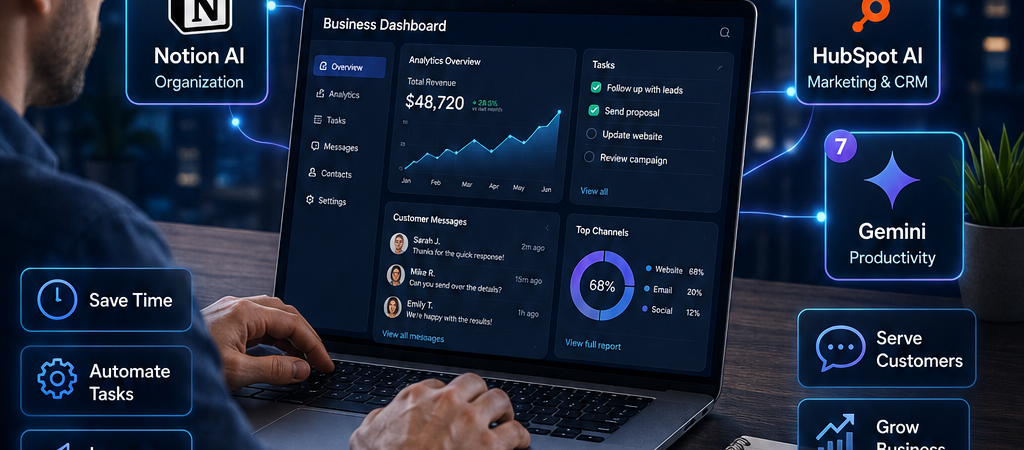
Artificial intelligence is no longer something only large companies can afford or understand. Today, small businesses can use AI tools to save time, reduce repetitive work, create better content, improve customer service, and make everyday business tasks easier.
Whether you run an online store, local business, startup, blog, freelance service, or small agency, the right AI tool can help you accomplish more without immediately hiring a larger team. If you’re completely new to AI, start with our guide on What Is Artificial Intelligence? to understand the basic concepts before exploring AI tools for your business.

However, with hundreds of AI platforms available, choosing the right one can be confusing. Some tools are designed for writing, while others focus on design, automation, marketing, or business organization.
In this guide, we’ll look at 7 of the best AI tools for small businesses and explain what each one can help you do.
1. ChatGPT – Best for Everyday Business Tasks
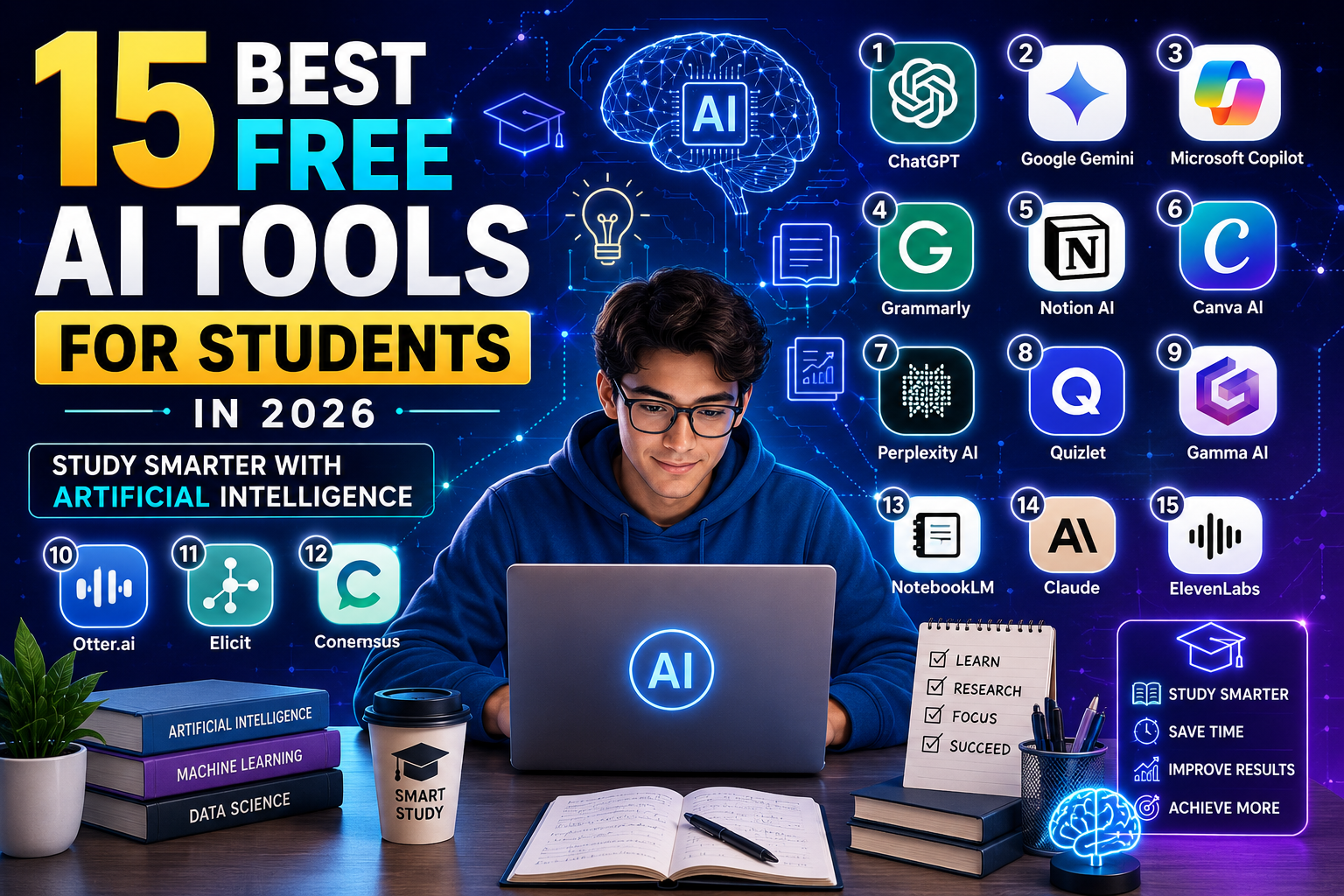
ChatGPT is an AI assistant that small businesses can use for many everyday tasks. Instead of starting everything from scratch, you can give ChatGPT instructions and use its responses as a starting point for your work. Small business owners who want to explore AI for writing, research, marketing, analysis, and everyday operations can learn more about OpenAI’s tools for small businesses. AI isn’t useful only for business owners. You can also explore our guide to the Best AI Tools for Students to see how similar technologies can support research, writing, studying, and productivity.
Small business owners can use ChatGPT to:
- Write emails and customer responses
- Generate social media post ideas
- Create product descriptions
- Brainstorm business and marketing ideas
- Summarize information
- Draft blog posts and advertisements
- Prepare FAQs and customer-support responses
- Research and organize ideas
For example, a small clothing business could ask ChatGPT to create several Instagram captions for a new collection. A freelancer could use it to draft a professional client proposal and then customize the result.
Why is ChatGPT useful for small businesses?
Its biggest advantage is versatility. Instead of using a different tool for every simple writing, brainstorming, or planning task, businesses can use ChatGPT as a general-purpose AI assistant.
However, AI-generated information should still be reviewed before being published or sent to customers. Important facts, prices, business policies, and professional advice should always be checked.
Best for: Writing, brainstorming, research, customer communication, content creation, and productivity.
Tip: The more specific your instructions are, the more useful the response is likely to be.
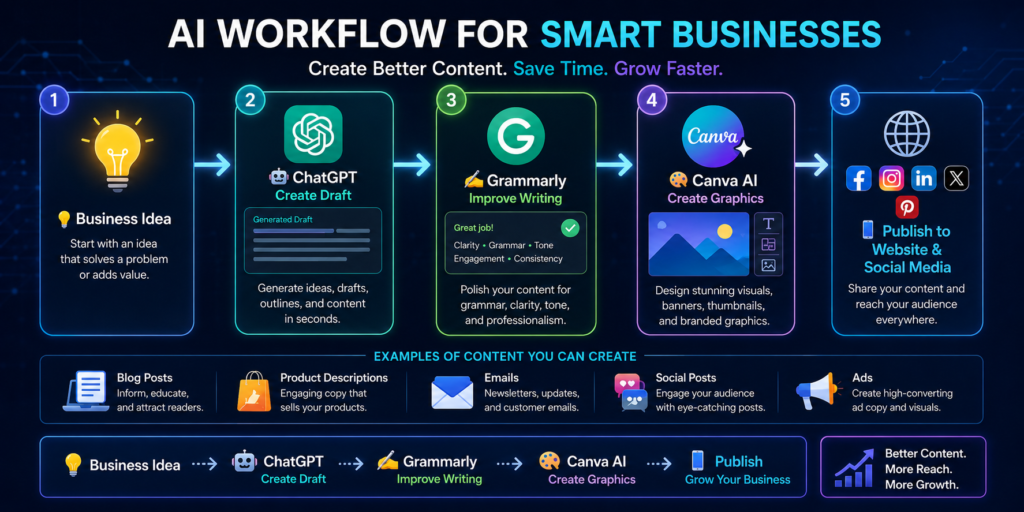
2. Canva AI – Best for Business Graphics and Marketing
Canva is already popular among small businesses for creating graphics, but its AI-powered features can make the design process even faster. Businesses interested in AI-assisted design can explore Canva and its AI-powered creative tools for designs, documents, images, and other visual content.
Small businesses can use Canva’s AI features to help create:
- Social media graphics
- Business flyers
- Presentations
- Promotional posters
- Product advertisements
- Short videos
- Website graphics
- Marketing materials
This can be especially useful for a small business that does not have a full-time graphic designer.
For example, a restaurant could quickly create a promotional graphic for a weekend offer, while an online seller could design product posts for Instagram or Facebook.
Why is Canva AI useful for small businesses?
It combines AI assistance with an easy-to-use design platform. This allows business owners to produce professional-looking marketing materials faster, even with limited design experience.
AI doesn’t completely replace good design judgment, though. Businesses should still check their branding, text, images, and overall quality before publishing anything.
Best for: Social media graphics, advertisements, presentations, posters, videos, and other visual marketing content.
3. Grammarly – Best for Professional Business Writing
Clear and professional communication is important for every small business. Grammarly is an AI-powered writing assistant that helps improve grammar, spelling, clarity, tone, and sentence structure. Teams that want additional help with professional communication can explore Grammarly for Business.
Grammarly’s business offering includes AI-assisted drafting, organizational style guidance, brand-tone features, and other writing tools.
Small businesses can use Grammarly when writing:
- Business emails
- Customer support messages
- Blog articles
- Proposals and reports
- Social media posts
- Website content
- Product descriptions
For example, before sending an important proposal to a potential client, a business owner can use Grammarly to identify writing mistakes and improve the clarity of the message.
Why is Grammarly useful for small businesses?
It can help businesses maintain clearer and more professional communication, especially when producing a lot of written content.
However, suggestions should still be reviewed rather than accepted automatically. The final message should maintain the business’s natural voice and intended meaning.
Best for: Emails, business documents, website copy, content editing, and professional communication.
4. Zapier – Best for Automating Repetitive Business Tasks
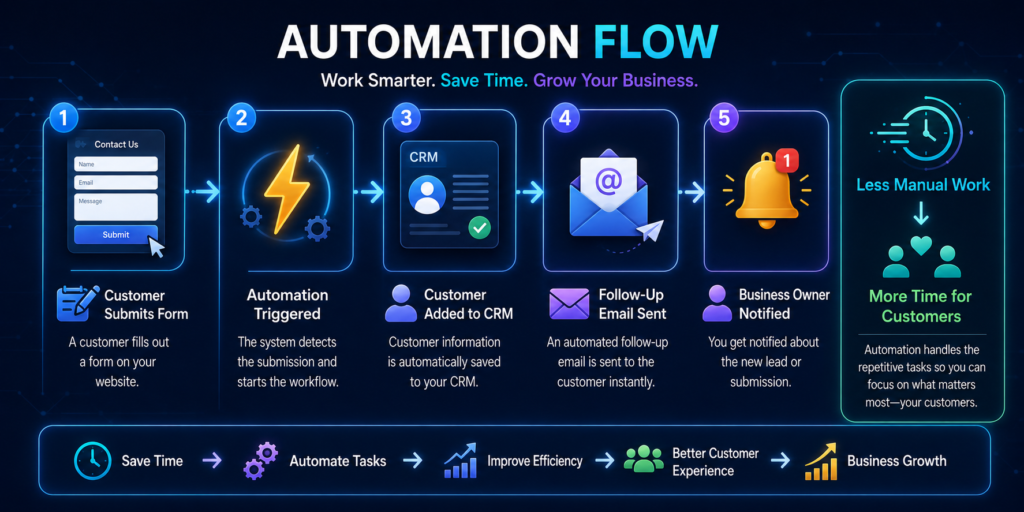
Small businesses often spend valuable time performing repetitive tasks such as transferring information between applications, sending notifications, or updating records. Small businesses interested in connecting applications and automating repetitive workflows can explore Zapier
Zapier helps automate workflows by connecting different apps and allowing actions to happen automatically.
For example, a business could create an automation where:
Customer submits a form → Contact is added to a database → Team receives a notification → Follow-up email is triggered
Other possible uses include:
- Automating lead collection
- Sending notifications when customers complete forms
- Connecting marketing applications
- Updating spreadsheets automatically
- Organizing customer information
- Automating repetitive administrative tasks
Why is Zapier useful for small businesses?
Automation can reduce the amount of manual work required to run routine business processes. This gives business owners and employees more time to focus on customers, sales, and other important activities.
AI and automation should still be monitored, particularly when workflows involve customer information, payments, or important business records.
Best for: Workflow automation, app integration, lead management, and repetitive administrative tasks.
5. Notion AI – Best for Planning and Organization
Keeping business information organized can become difficult as a company grows. Businesses looking for an AI-assisted workspace for documents, knowledge, projects, and planning can explore Notion AI.
Notion AI combines AI assistance with a workspace where businesses can manage notes, documents, projects, tasks, and other information.
Small businesses can use it to:
- Create meeting summaries
- Organize business ideas
- Draft documents
- Manage projects
- Create task lists
- Summarize lengthy notes
- Maintain internal business information
For example, after a team meeting, Notion AI can help turn meeting notes into a shorter summary containing important points and action items.
Why is Notion AI useful for small businesses?
Its main advantage is bringing business organization and AI assistance into the same workspace.
Instead of having important notes scattered across different applications and documents, a small team can maintain a more organized knowledge base for its work. Small businesses interested in combining AI with CRM, marketing, sales, and customer-service workflows can explore HubSpot’s AI tools
Best for: Business planning, project management, documentation, meeting notes, and team organization.
6. HubSpot AI – Best for Marketing, Sales, and Customer Management
Small businesses need more than just new customers; they also need a good system for managing leads, communicating with prospects, and maintaining customer relationships.
HubSpot provides CRM, marketing, sales, and customer-service tools, with AI capabilities integrated across parts of its platform.
Small businesses can use HubSpot’s AI-powered features to help with:
- Managing customer relationships
- Creating marketing content
- Drafting sales emails
- Organizing leads
- Supporting customer service
- Analyzing business information
- Creating and repurposing content
- Managing marketing campaigns
For example, imagine a small digital agency receives inquiries through its website. HubSpot can help organize those prospects in a CRM so the business can track conversations and follow-ups instead of managing everything manually.
Why is HubSpot useful for small businesses?
Its biggest advantage is combining several important business activities within one ecosystem.
Instead of having customer information scattered across emails, spreadsheets, and different applications, a business can use a CRM to create a more organized sales and customer-management process.
Small businesses don’t necessarily need every HubSpot feature from the beginning. Start with the tools that solve an immediate business problem and expand as necessary.
Best for: CRM, lead management, marketing, sales, customer service, and business growth.
7. Google Gemini – Best for Google Workspace Productivity
Businesses already using Gmail, Google Docs, Google Sheets, Google Drive, and other Google services may find Google Gemini particularly useful.
Gemini is Google’s AI assistant and can help with tasks involving writing, research, brainstorming, summarization, and analysis.
Depending on the Google product and plan being used, Gemini capabilities can also integrate with Google Workspace applications.
Small businesses can use Gemini to help:
- Draft business emails
- Brainstorm marketing ideas
- Summarize information
- Create first drafts of documents
- Analyze information
- Research business topics
- Generate content ideas
- Improve everyday productivity
For example, a business owner preparing a marketing campaign could use Gemini to brainstorm campaign ideas and develop an initial content plan before reviewing and adapting the suggestions.
Why is Gemini useful for small businesses?
Its connection with Google’s broader ecosystem can make it convenient for businesses that already depend heavily on Google products.
As with other generative AI tools, however, important information should be checked before making business decisions based on an AI-generated response.
Best for: Research, writing, brainstorming, Google Workspace productivity, and everyday business tasks.
How to Choose the Right AI Tool for Your Small Business
You don’t need to subscribe to every AI platform available.
Start by identifying the biggest problem consuming your time.
For example:
Too much writing? → ChatGPT or Grammarly
Need marketing graphics? → Canva AI
Too many repetitive tasks? → Zapier
Business information is disorganized? → Notion AI
Need better customer and lead management? → HubSpot
Already work heavily with Google tools? → Gemini
Start with one or two tools, learn how to use them effectively, and measure whether they actually save time or improve your work.
The best AI tool isn’t necessarily the one with the most features. It’s the one that solves a real problem in your business.
Practical Example: How a Small Business Can Use AI Tools Together
To understand how these tools can work in real life, imagine a small online business that sells laptops and accessories.
The owner wants to promote new products, respond to customers quickly, organize inquiries, and reduce the amount of time spent on repetitive tasks. If you’re still planning your first digital venture, our guide on How to Start an Online Business with Little Money explains practical ways beginners can get started without requiring a large initial budget.
Here is one possible AI-powered workflow:
New Product Arrives
↓
ChatGPT → Draft product description and promotional captions
↓
Grammarly → Review the wording and improve clarity
↓
Canva AI → Create social media graphics and promotional materials
↓
HubSpot → Organize interested customers and sales leads
↓
Zapier → Automate repetitive notifications or data transfers
↓
Notion AI → Organize tasks, ideas, and business plans
↓
Gemini → Assist with research and other productivity tasks
For example, instead of spending an hour creating different captions for Facebook, Instagram, and TikTok, the owner could use ChatGPT to produce initial drafts and then edit them to match the business’s voice.
Canva could then help create the accompanying graphics.
If customers begin submitting inquiries through a website form, automation could help move that information into the appropriate business tools, while a CRM helps the owner keep track of prospects and follow-ups.
The important point is that AI doesn’t have to run the entire business.
A better approach is:
Human Decision-Making + AI Assistance + Automation = More Efficient Workflow
The business owner should still review product information, prices, customer communications, and important decisions before anything is published or sent.
Benefits of Using AI Tools for Small Businesses
When used appropriately, AI tools can provide several advantages.
Save Time
AI can help reduce time spent on first drafts, brainstorming, summarization, basic design, and repetitive administrative work.
Reduce Repetitive Work
Automation platforms can handle certain routine processes so employees don’t have to repeat the same manual steps every day.
Improve Content Creation
AI tools can help businesses generate ideas and initial drafts for blog posts, emails, advertisements, product descriptions, and social media content.
Support Better Organization
Tools such as Notion AI and CRM platforms can help businesses organize information, tasks, customer relationships, and internal processes.
Help Small Teams Do More
A small business may not have separate employees for writing, graphic design, marketing, administration, and research.
AI tools can assist across several of these areas, although they should not be treated as replacements for professional expertise where professional judgment is required.
Important Things to Consider Before Using AI
AI tools can be useful, but small businesses should use them responsibly.
Don’t automatically trust every AI-generated answer. AI systems can produce inaccurate or outdated information.
Always review important:
- Prices and financial figures
- Customer information
- Contracts and legal information
- Product specifications
- Business policies
- Health or safety information
- Marketing claims
Businesses should also be careful about entering confidential customer, employee, financial, or business information into AI services without understanding the provider’s privacy and data-handling policies.
Think of AI as an assistant, not an unquestionable decision-maker.
AI Generates → Human Reviews → Business Decides
This simple approach can help small businesses benefit from AI while maintaining human oversight.
Common Mistakes Small Businesses Should Avoid When Using AI
AI tools can improve productivity, but using them incorrectly can create new problems. Small business owners should avoid these common mistakes.
1. Relying Completely on AI
AI should support your work, not make every business decision for you.
Always review AI-generated content before publishing it or sending it to customers. This is especially important for prices, product specifications, financial information, legal matters, and important business decisions.
2. Using Too Many AI Tools
You don’t need every new AI platform.
Paying for five or ten tools that perform similar tasks can increase your business expenses without providing much additional value.
Instead:
Identify a Problem → Choose an AI Tool → Test It → Measure the Results → Keep or Replace It
Start small and expand only when there is a clear business need.
3. Publishing AI-Generated Content Without Editing
Copying an AI-generated article, advertisement, email, or product description and publishing it immediately can lead to errors, generic writing, or inaccurate claims.
A better workflow is:
AI Draft → Fact-Check → Edit → Add Business Experience → Publish
Your own knowledge and experience can make the final content more useful and distinctive.
4. Ignoring Data Privacy and Security
Be careful about what information you provide to AI platforms.
Avoid casually entering sensitive information such as customer records, passwords, private financial information, confidential contracts, or internal business data.
Before using an AI service for sensitive business workflows, understand its privacy, security, and data-handling settings.
5. Expecting AI to Replace Human Creativity
AI can generate ideas quickly, but your business still needs its own identity.
Your brand voice, customer relationships, experience, judgment, and understanding of your market remain valuable.
The strongest approach is usually:
Human Creativity + Business Knowledge + AI Assistance
Final Thoughts
The best AI tools for small businesses are not necessarily the most expensive or advanced platforms. The right tools are those that solve real problems and help the business operate more efficiently.
For different needs, the seven tools covered in this guide provide useful starting points:
ChatGPT — everyday business assistance and content creation
Canva AI — graphics and marketing materials
Grammarly — professional writing
Zapier — workflow automation
Notion AI — planning and organization
HubSpot AI — marketing, sales, and customer management
Google Gemini — research and productivity
A small business doesn’t need to adopt all seven immediately.
Start with the area where you spend the most time. If content creation is slowing you down, experiment with an AI writing assistant. If repetitive administrative tasks are the problem, investigate automation. If marketing graphics take too long, try an AI-assisted design platform.
Most importantly, remember:
AI should help you run your business better not run your business blindly.
Use AI to save time and increase productivity, while keeping humans responsible for important decisions, accuracy, customer relationships, and the overall direction of the business.
As AI tools continue to develop, small businesses that learn how to use them responsibly can gain powerful new ways to work smarter, improve productivity, and compete more effectively in the digital economy.
Ready to Start Using AI in Your Small Business?
You don’t need to transform your entire business overnight. Start by identifying one repetitive or time-consuming task that AI could help you improve.
For example, you could use AI to:
- Create your next social media post
- Draft a professional customer email
- Design a promotional graphic
- Brainstorm marketing ideas
- Organize business tasks
- Automate a repetitive workflow
Choose one tool from this guide, test it with a real business task, and evaluate whether it saves you time or improves your results.
Disclaimer
This article is provided for educational and informational purposes only. The AI tools, features, pricing, free plans, integrations, and availability mentioned in this guide may change over time.
BuildSmartAfri does not guarantee that any particular AI tool will improve revenue, productivity, sales, or other business results. The effectiveness of a tool depends on factors such as your business needs, implementation, skills, industry, and how the technology is used.
Always review AI-generated content for accuracy, relevance, and appropriateness before using it for business purposes. Exercise additional care when AI is used in connection with financial, legal, medical, security, customer-data, or other high-impact decisions.
Before providing confidential, personal, or sensitive business information to an AI platform, review the provider’s current privacy, security, and data-use policies.
Some links in this article may also be affiliate links. If so, BuildSmartAfri may earn a commission when you make a qualifying purchase or sign up through those links, at no additional cost to you. This does not affect our commitment to providing useful and independent educational information.
Always evaluate a tool based on your own business requirements before purchasing or subscribing to it.